Stick Run
Run. Jump. Roll. How far can you go?
Free to play. No download. No account.
↑ Jump / double jump|↓ Roll
Best played with a keyboard. Click inside the game for controls. Flash playback is powered by Ruffle; compatibility may vary by device.
ARCADE / ENDLESS RUNNER
A little stickman. An endless run.
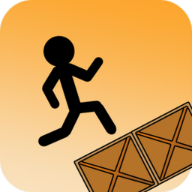
Stick Run is a fast-paced endless runner starring a stickman who never stops running. The side-scrolling course fills with crates, spinning saw blades and glass panes. You don’t control the speed. You control survival: jump over obstacles, roll under low barriers and land on crate tops to keep going.
There is no finish line in Stick Run. The course keeps coming and your score is the distance you cover. One mistimed move ends the run. Try again, read the next obstacle and push a little further. The appeal of Stick Run is that the rules stay simple while the decisions become harder. A safe landing matters just as much as a well-timed takeoff. You are always preparing for the next obstacle, rather than completing a fixed sequence of levels.
Stick Run was created by Manuel Otto. His original game puts a simple stickman at the centre of an endless obstacle course. This page credits Manuel Otto as the original creator of Stick Run.
How to play Stick Run
Two keys to learn. Plenty of room to improve.
- ▶
Start running
Use the game’s Play button to begin Stick Run. Your stickman runs automatically, so concentrate on the obstacles ahead. Click inside the game window before using your keyboard. You do not need to steer or hold a movement key: your job is to choose the right moment to jump or roll.
- ↑
Jump the obstacles
Press Up Arrow to jump over crates and saw blades. Land cleanly on a crate and jump again to chain box jumps. In Stick Run, clipping the side of a crate is different from landing on its top. Give yourself enough height to clear the front edge, then watch where the next jump will take you.
- ↑ ↑
Go a little further
Press Up Arrow again in the air for a double jump. Save the second jump for wide gaps and tall stacks. A useful Stick Run habit is to make the first jump deliberately, then decide whether the second is necessary. Spending both jumps immediately can leave you without another correction before landing.
- ↓
Keep your head down
Press Down Arrow to roll under low glass barriers. A collision or a fall ends your run. Retry and beat your distance. Stick Run rewards choosing the correct action, not simply pressing keys faster. When a low barrier approaches, resist the instinct to jump into it and prepare to pass underneath instead.
Read the Stick Run obstacles
Crates & stacks. Clear the sides or land on top to set up another jump. In Stick Run, a box can become a useful stepping stone, but only if you reach its top cleanly.
Saw blades. Give them space, especially when choosing where to land. A jump that clears one Stick Run obstacle is not safe if it drops you directly onto a blade.
Glass panes. Stay low and roll beneath the barrier. Read the height of the opening before committing: Stick Run asks you to alternate between jumping and rolling as the course changes.
Gaps & drops. Watch the far edge and keep a double jump in reserve. Think about your landing area, because surviving a Stick Run gap still leaves the next obstacle to handle.
Stick Run tips for longer runs
Look ahead instead of staring at your stickman. Match the move to the obstacle, save your double jump and aim for open floor when you land. As the pace rises, keep a steady rhythm. Panic inputs rarely help. A better Stick Run score usually comes from reading the course earlier, rather than reacting at the last possible moment.
Practice one decision at a time
After a failed Stick Run attempt, identify the move that ended it. Did you jump too late, use the second jump too soon, or mistake a low barrier for a hurdle? Focus on that one decision during your next attempt. Short, deliberate retries help you notice patterns in your own timing without expecting the course to repeat. Let each Stick Run attempt teach you something useful. Try watching the space between obstacles as well as the obstacles themselves. An open stretch gives you time to settle your rhythm and prepare the next input. When you lose a run, take a moment before retrying instead of carrying the same rushed timing into the next attempt.
Stick Run questions
Is Stick Run free to play?
Yes. Stick Run is free to play here in your browser without downloading a Flash plugin or creating an account. The game window sits at the top of the page, so you can return to it whenever you want another attempt.
Does Stick Run have a finish line?
No. Stick Run is an endless runner. Your goal is to survive the obstacles and cover as much distance as you can. Treat a longer run as progress, even when it ends with a mistake: there is no final level you need to reach.
Can I play Stick Run on a phone?
Ruffle can run in modern mobile browsers, but this Flash build is best played with a keyboard. Touch support depends on the game and device; a desktop browser is recommended.
Why won’t Stick Run load?
Try reloading the game in a current browser with WebAssembly enabled. A damaged or missing SWF file can also prevent playback. This page uses Ruffle to run the original Flash file.
What is the difference between a jump and a box jump?
A normal jump begins on the floor. A box jump uses a crate top as the platform for your next takeoff. In Stick Run, landing on a box can help you continue across an awkward section. It still requires a clean landing; hitting the side ends the attempt.