Stickman Adventures — Monochrome Castle Rescue Sprint & Mechanical Traps
Stickman Adventures is a stage-driven 2D action-adventure runner developed by Fun Best Games and released for web browsers in April 2020. To keep expectations clear right from the opening sprint, Stickman Adventures is an independent HTML5 rescue quest created by Fun Best Games rather than Manuel Otto's 2010 endless rooftop classic Stick Run on our homepage. Instead of running purely for an infinite distance counter, your red-headband hero charges across atmospheric greyscale countryside roads, timber outposts, and booby-trapped approaches on a mission to break into a heavily guarded castle and save everyone held inside.
What Makes Fun Best Games' Stickman Adventures Stand Out?
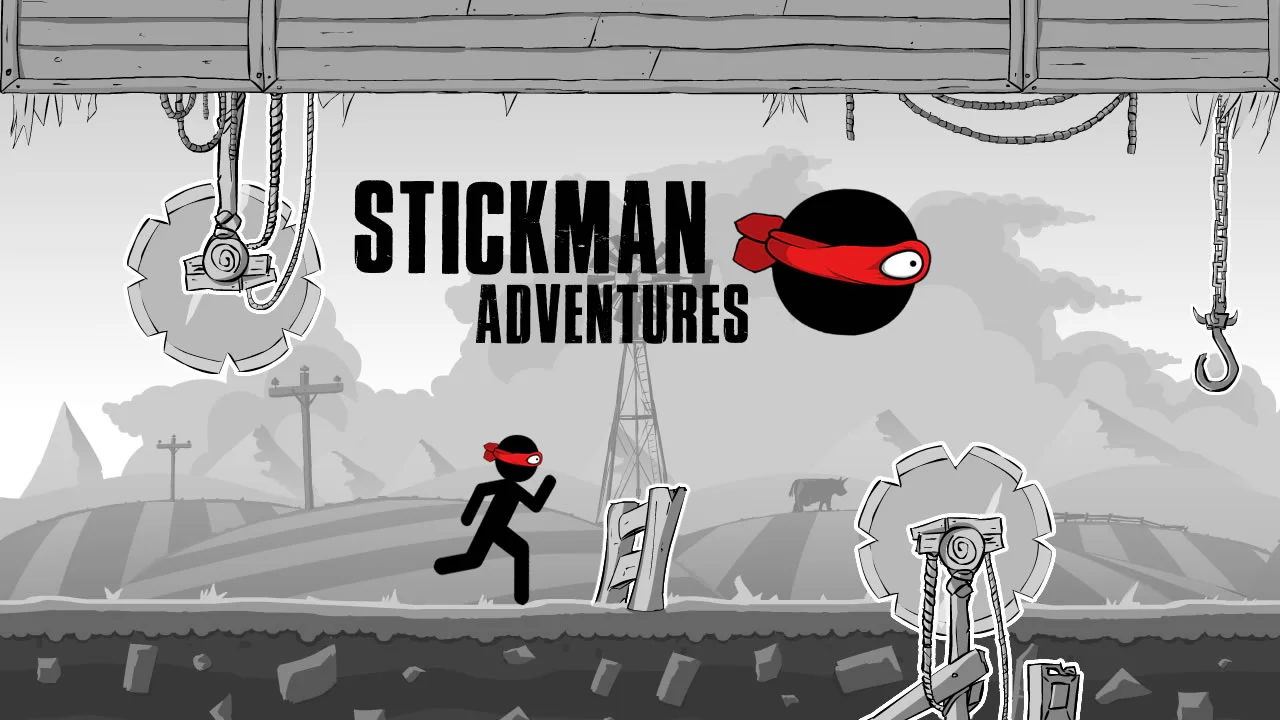
Most browser stickman runners drop you onto abstract geometric blocks with zero sense of place or purpose. Stickman Adventures immediately sets a richer mood with hand-sketched greyscale ink illustrations—rolling farmland hills, distant windmills, timber scaffolding, and fortress stonework—punctuated by the vivid crimson headband trailing behind your sprinting hero. Because every stretch of road leads closer to the castle gates, clearing a brutal sequence of mechanical contraptions delivers genuine forward progression.
- Standalone Rescue Campaign: Built in HTML5 by Fun Best Games around storming a trap-laden castle, completely separate from Manuel Otto's 2010 original.
- Striking Greyscale & Crimson Art: Hand-drawn monochrome backdrops make your red-bandana runner and outlined mechanical saws pop clearly at top speed.
- Destination-Based Locations: Sprint across varied outdoor roads and fortified approaches in Stickman Adventures rather than looping a single endless backdrop.
- Accessible Arrow & Touch Controls: Trigger timely leaps with desktop arrow keys or dedicated on-screen buttons in crisp 1280x720 HD widescreen.
Mechanical Contraptions: Pulley Buzzsaws, Barricades & Iron Hooks
The fortress defenders leave nothing to chance along the road to the stronghold in Stickman Adventures. Because your hero charges ahead at full stride automatically across hazardous stretches, survival hinges on spotting rigged timber and iron machinery early enough to plant your takeoff foot cleanly before contact.
- Rope-and-Pulley Circular Saws: Heavy toothed blades rigged both on ground posts and overhead wooden beams throughout Stickman Adventures.
- Splintered Timber Barricades: Low wooden fences and roadblocks planted right across dirt paths to trip up impatient early jumpers.
- Swinging Chains & Iron Hooks: Suspended dungeon hardware hanging from upper rafters that punish mistimed arcs beneath low scaffolding.
- Multi-Trap Gauntlet Approaches: Tighter combinations of ground saws and barriers in Stickman Adventures as your hero closes in on the castle walls.
Controls & Obstacle-Clearing Timing Tips
Designed natively in a 16:9 widescreen 1280x720 canvas, Stickman Adventures keeps its control layout clean so your eyes never leave the road ahead.
Desktop Keyboard & On-Screen Button Controls
On desktop computers and laptops, use your keyboard Arrow keys to guide movement and make your hero jump as soon as dangerous traps draw near. On touchscreen devices and tablets, tap the responsive on-screen control buttons rendered directly on the display. Stickman Adventures keeps physics grounded—there is no complex roll or midair double-jump combo to memorize—so clean single-leap timing rules every encounter.
Judging Takeoff Distance Against Ground Saws
Circular saw blades mounted on wooden posts in Stickman Adventures have wider circular teeth than flat fence posts, meaning jumping from too far back risks clipping the back edge of the blade on descent. Wait until your runner closes within about one body-length of the timber post before pressing jump so the peak of your arc carries squarely over the center spindle.
Smooth Widescreen Browser Playback Guide
Constructed on a lightweight HTML5 2D engine, Stickman Adventures loads rapidly and maintains crisp hand-drawn line art across Chrome, Edge, Firefox, and Safari. Keeping browser hardware acceleration enabled ensures smooth 60 FPS scrolling so fast-approaching pulley teeth, wooden barricades, and overhead dungeon chains never blur during crucial final approaches.
Locking Canvas Focus on Desktop & Chromebooks
Click once inside the game window after launching Stickman Adventures—or tap Focus on our top stage bar—so Arrow key presses trigger instant jumps without scrolling the surrounding article page on Windows PCs, Macs, or classroom Chromebooks. Closing heavy background video streams also keeps frame timing steady when multiple spinning pulley saws overlap.
Landscape Mode for Clearer Trap Sightlines
Because Stickman Adventures uses a wide 1280x720 horizontal frame, rotating smartphones or tablets into landscape orientation and tapping Fullscreen gives you maximum advance warning before pulley saws, low wooden fences, and hanging iron hooks enter from the right margin of the road.
Frequently Asked Questions
Is Stickman Adventures related to the 2010 Stick Run game?
No. Stickman Adventures is a standalone 2020 HTML5 action-adventure runner created by Fun Best Games about storming a fortified castle to rescue captives, whereas Manuel Otto's Stick Run on our homepage is an endless rooftop high-score classic with item trading.
Does Stickman Adventures have an actual goal instead of endless running?
Yes. Unlike pure infinite score chasers that loop forever until you crash, Stickman Adventures sends your red-bandana hero across multiple trap-filled countryside and fortress locations on a dedicated mission to break into the castle and save everyone inside.
What controls do you use in Stickman Adventures?
You play Stickman Adventures using the Arrow keys on a desktop keyboard or by pressing the built-in on-screen touch buttons on tablets and phones—no extra crouch, roll, or double-jump buttons are needed to clear obstacles.
Can I play Stickman Adventures free with no downloads?
Yes. Stickman Adventures runs 100% free inside modern desktop, Chromebook, and mobile web browsers with zero external file downloads, legacy Flash plugins, subscription fees, or mandatory account sign-ups required—simply click Play Now right above this guide to begin your castle rescue sprint.